NAIVEDYAM MESS MANAGEMENT SYSTEM

NAIVEDYAM MESS MANAGEMENT SYSTEM

08NaivedyamGalav Mess2023
Scroll to explore

NaivedyamisoneofthesystemsIbuilttosolverealmessoperationscomplexityatscale.Idevelopeditasarole-drivenmessmanagementplatformforGalavMess,whereitisbeingimplementedacrossmultiplelocations.ItisalsoadoptedininstitutionssuchasAIIMSRaipurandIIMNagpur.Theproductunifiesadmin,college/client,messmanager,andstudentworkflowsintooneoperationalstackcoveringenrollment,mealtracking,menuvisibility,feedbackloops,committeecontacts,andreporting.

The challenge

Brief · 01

When I started this project, the day-to-day mess workflow was fragmented across registers, spreadsheets, and unstructured communication channels. The hardest part was not building screens, but building operational trust: each role needed clear access boundaries and reliable data views without duplication or confusion. Institutions and operators needed one source of truth for student records, menu publishing, mess details, feedback handling, and role-wise visibility across campuses.

The solution

Brief · 02

I built Naivedyam as a centralized web platform with strict role-based surfaces for admin, client/college teams, mess operations, and students. The system handles student onboarding, college and department setup, menu and mess details, meal-consumption reporting, committee communication, and feedback processing. Architecturally, I used a React + Node.js stack with PostgreSQL-backed data modeling so operational modules remain queryable, auditable, and scalable as new campuses and client locations come online.

Milestones

From early concepts through validation and iteration.

  1. I mapped the end

    to — end mess workflow across students, colleges/clients, and operators before writing product modules, so each role received only the controls it actually needed.

  2. Built secure authentication and role

    aware navigation to keep admin, client/college, and student journeys separated but connected through one shared backend.

  3. Shipped student

    facing modules for dashboard insights, upcoming meal visibility, profile access, committee contact details, and feedback submission.

  4. Built admin workflows for student records, transaction details, college registration, and institution

    level operational control.

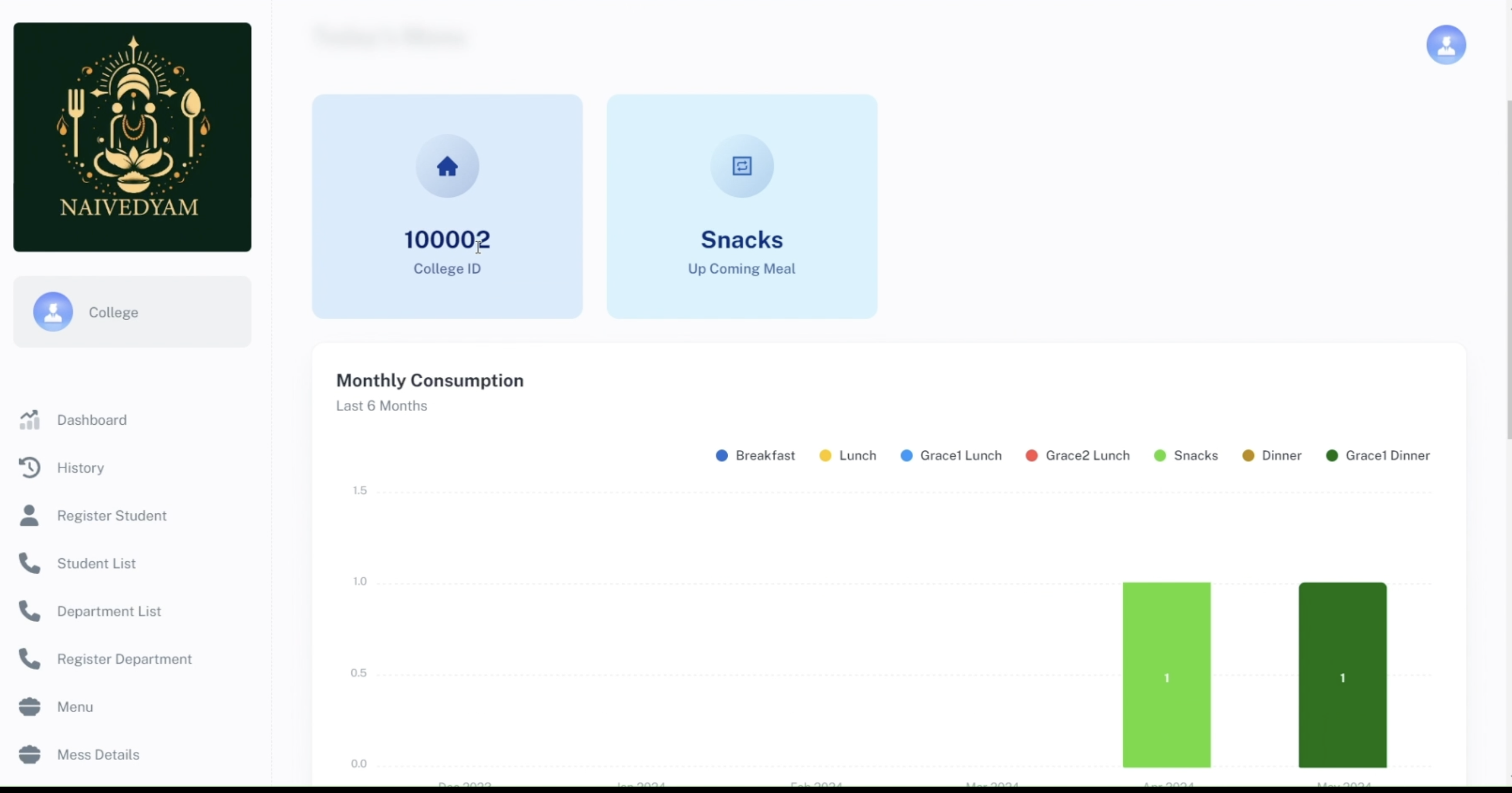
  5. Implemented client/college reporting for monthly consumption, history views, department setup, mess details, feedback review, and menu operations.

  6. Structured operational modules including mess manager controls, storehouse

    related records, and menu options so deployment can scale across institutions and multi — location clients.

03 / Outcomes

  • Created a single system for admin, client/college, mess manager, and student workflows
  • Actively used in Galav Mess operations
  • Implemented across multiple Galav Mess locations
  • Adopted in institutions including AIIMS Raipur and IIM Nagpur
  • Improved student enrollment, college registration, and role-based record management
  • Centralized menu control, mess details, and operational visibility
  • Established structured feedback and committee communication loops for students
  • Enabled dashboard-driven reporting for consumption and dining activity

Client / Partner

G

Galav Mess

Hospitality · Campus Operations

A growing institutional mess operator implementing Naivedyam across multiple locations to unify admin, college, mess-manager and student workflows.

By the Numbers

Impact at a glance

01

4

Role Surfaces

Admin, client/college, mess manager and student — each with its own scoped journey.

02

3+

Institutions

Galav Mess, plus adoption at AIIMS Raipur and IIM Nagpur.

03

1

Source of Truth

Single PostgreSQL-backed data layer for students, menus, mess details and feedback.

Stakeholders

Everyone on one channel

01

Admin

Owns institutional setup — colleges, departments and student records.

02

Client / College

Runs day-to-day reporting, menu, mess details and feedback review.

03

Mess Manager

Operates storehouse, menu options and on-ground service workflows.

04

Student

Sees upcoming meals, menus, committee contacts and submits feedback.

Core Capabilities

What it does

01 / Feature

Role-Aware Login

One login surface routes admins, colleges, mess managers and students to scoped dashboards.

02 / Feature

Student Dashboard

Upcoming meals, dining activity, profile and contact in one quick view.

03 / Feature

College Operations View

Consumption analytics, department setup, menu handling and mess details for the institution.

04 / Feature

Admin Student Management

Search, filter and manage enrolled students across colleges and academic years.

05 / Feature

Feedback & Committee

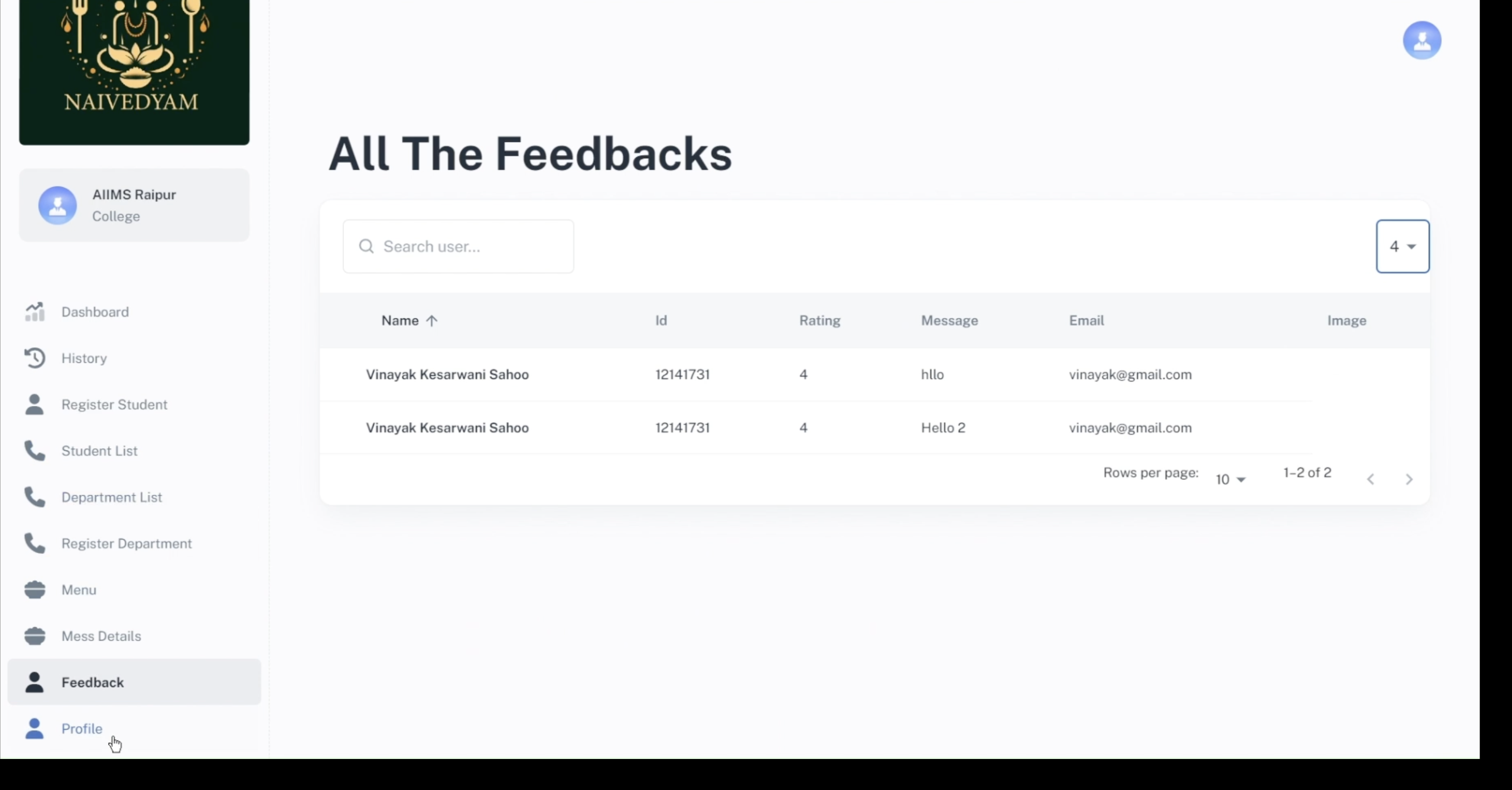
Direct line between students and mess committees with reviewable feedback dashboards.

06 / Feature

Multi-Location Ready

PostgreSQL-backed schema scales as Galav Mess opens new locations.

The Workflow

Step by step

  1. 01

    Set Up Institution

    Admin onboards a college, departments and mess details.

  2. 02

    Enrol Students

    Student records flow in via registration or admin import.

  3. 03

    Publish Menu

    College team or mess manager publishes the daily menu — visible to all students.

  4. 04

    Daily Use

    Students dine, view consumption, contact the committee and submit feedback.

  5. 05

    Review & Report

    College and admin teams analyse consumption, feedback and operational metrics.

See it in action

Work in detail

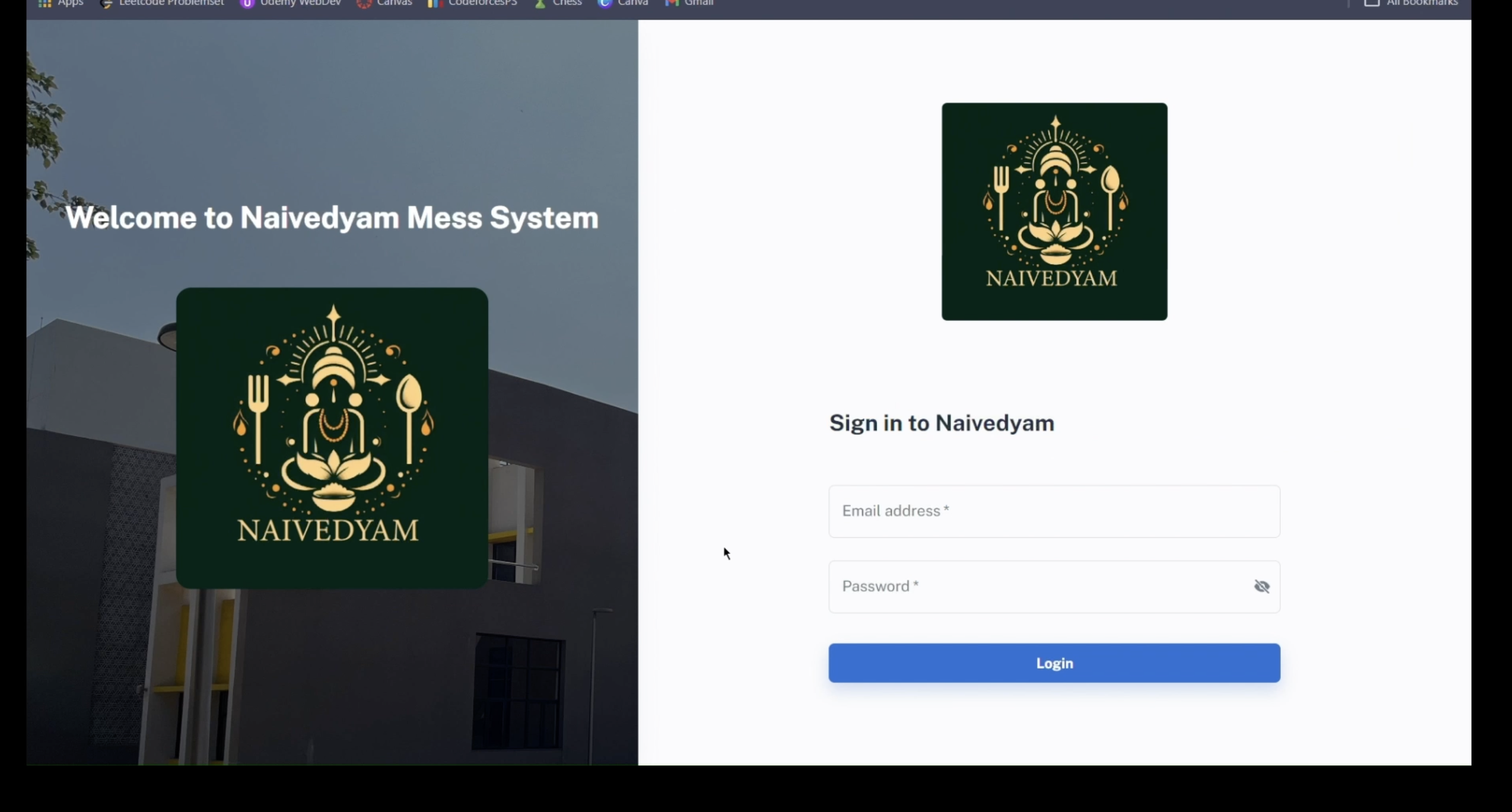
Role-Based Entry Point
01 // Exhibit

Role-Based Entry Point

Naivedyam starts with a dedicated login flow that routes admins, clients/colleges, mess operators, and students into the same platform with controlled access.

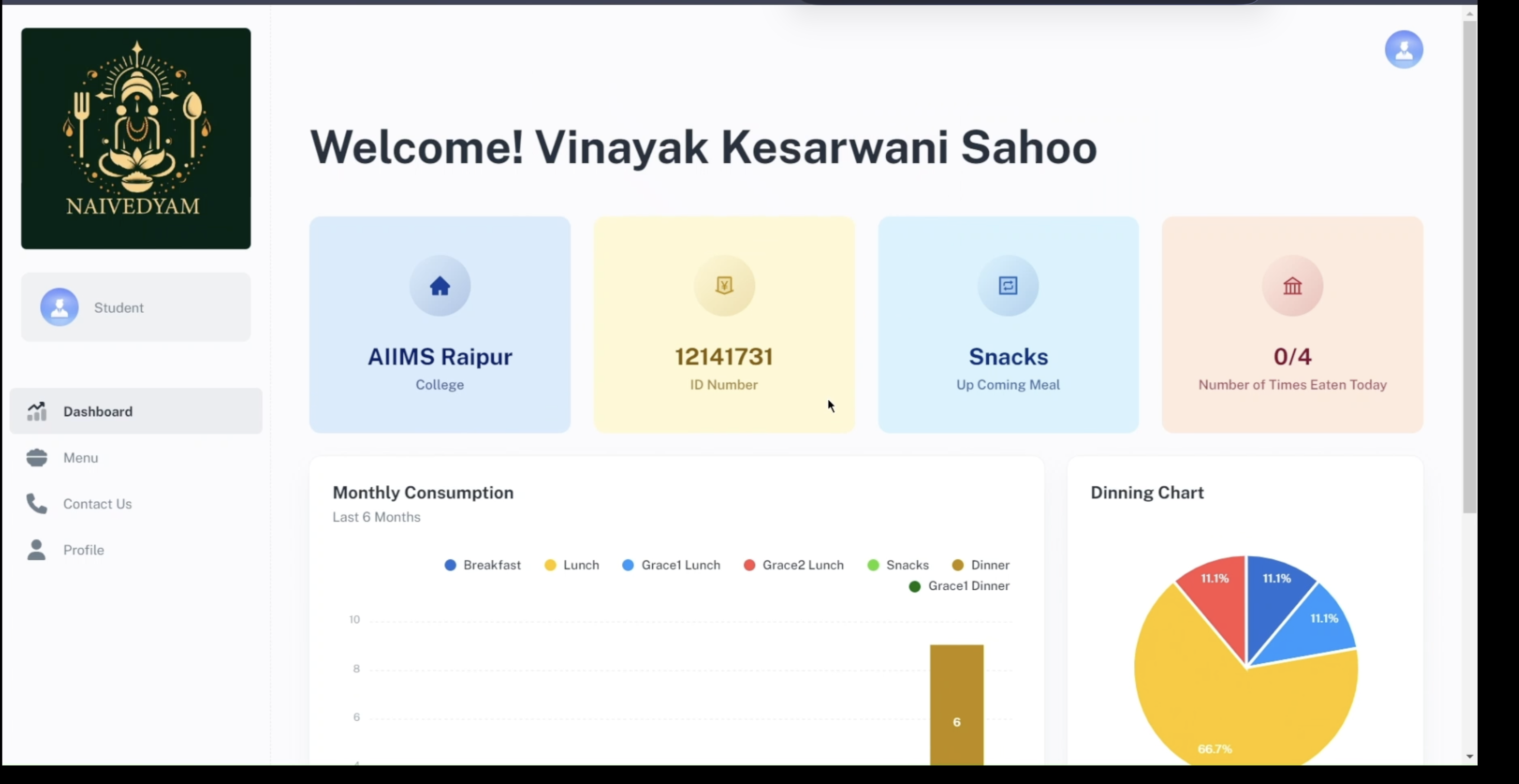
02 // Exhibit

Student Dashboard

Students can view upcoming meals, track dining activity, and access menu, contact, and profile sections from one clean dashboard.

Student Dashboard
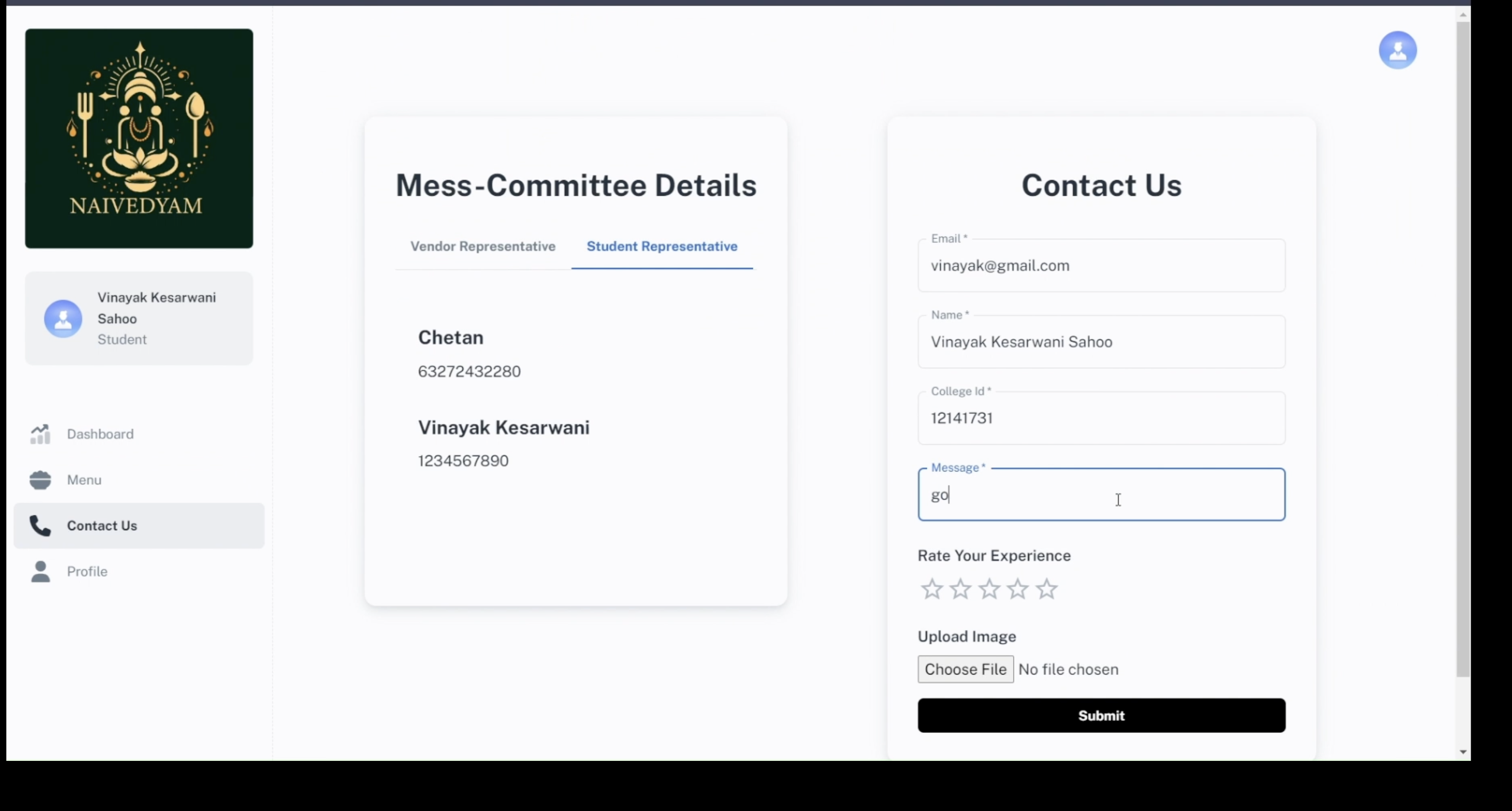
03 // Exhibit

Committee Contact and Feedback

The contact screen combines mess-committee details with a feedback form so students can directly raise issues, share ratings, and communicate with representatives.

Committee Contact and Feedback
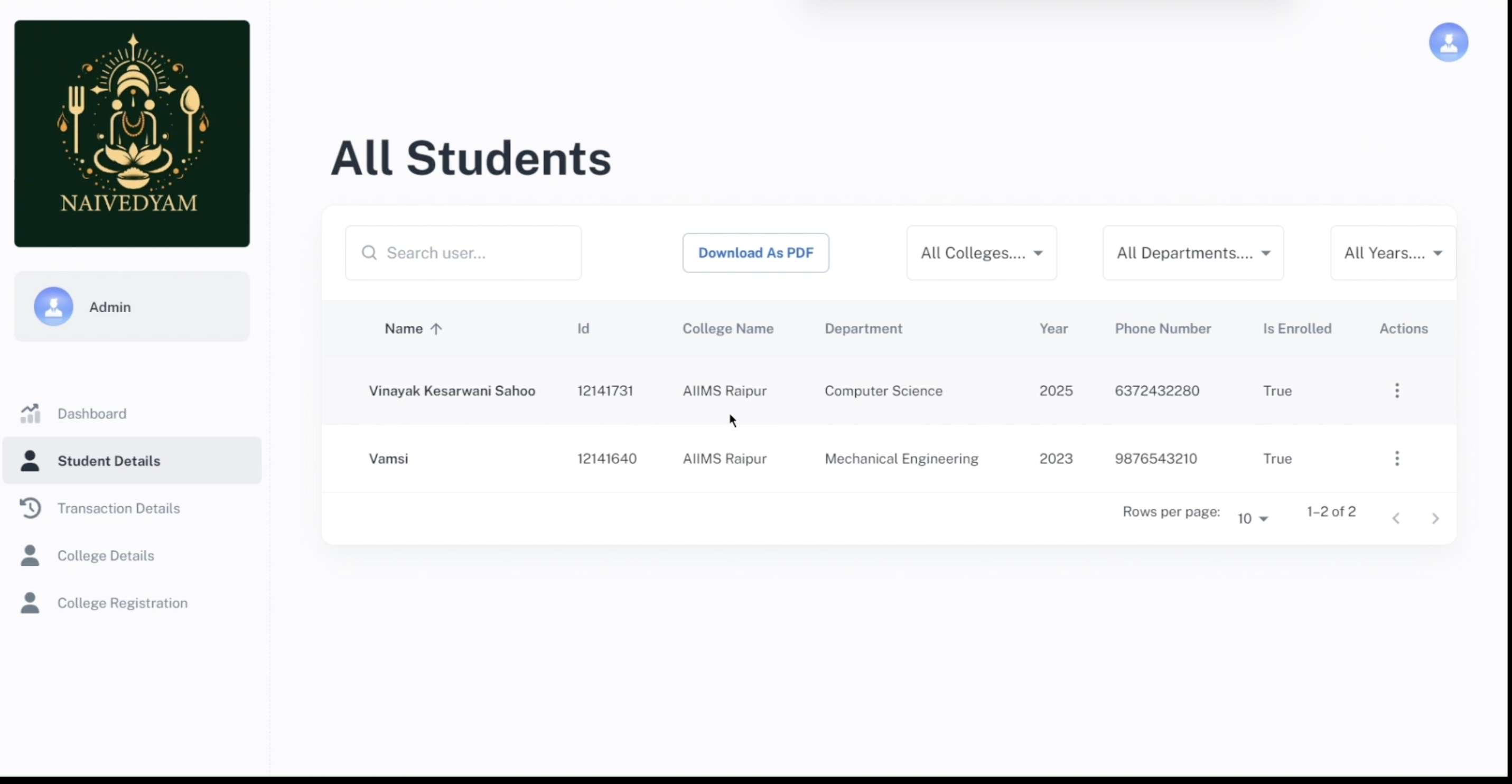
04 // Exhibit

Admin Student Management

Admins can search, filter, and manage enrolled students across colleges, departments, and academic years from a structured data table.

Admin Student Management
05 // Exhibit

Client / College Operations View

The college-side dashboard surfaces consumption analytics and operational modules like student lists, department setup, mess details, menu handling, and related management workflows.

Client / College Operations View
Feedback Review Dashboard
06 // Exhibit

Feedback Review Dashboard

Authorized operators can review submitted feedback, ratings, and user messages centrally, helping the mess team respond to service issues faster.

A closer look

Role-Based Entry Point
Student Dashboard
Committee Contact and Feedback
Admin Student Management
Client / College Operations View
Feedback Review Dashboard

Next in the archive

Parallel Clique Optimization on GPUs

GPU CLIQUE